If you have entered the wrong acquisition information against a stock unit and the invoice date has been included in a BAS period, the system will not allow you to make changes. In this scenario, you will need to complete a stock alteration to bring the stock in to your current BAS period to allow any changes made. The system will handle the reversal and the re-post in the current period, leaving only any variances in cost to be included in the open BAS period.
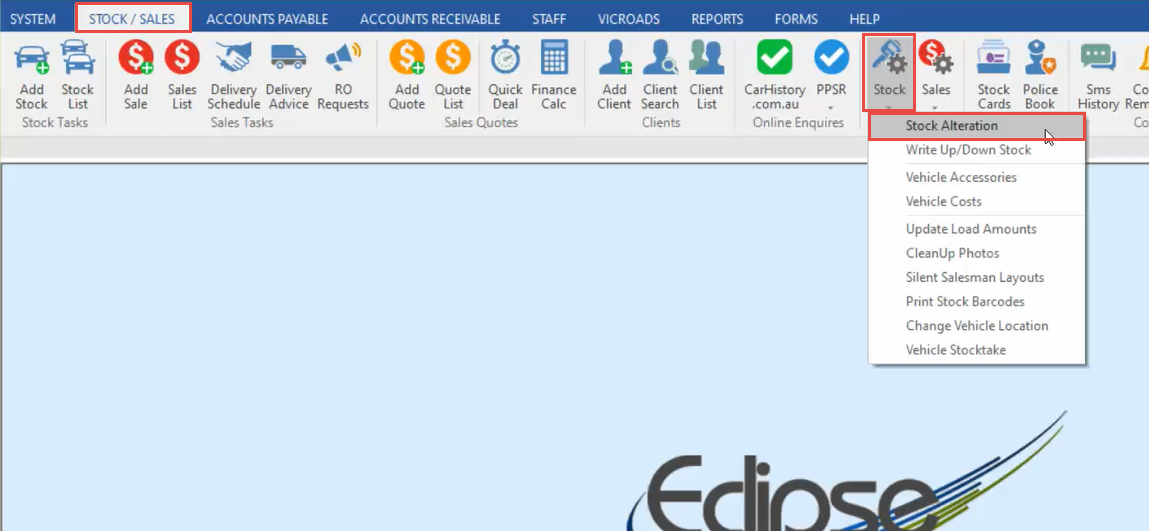
- In the Stock/Sales tab, click Stock, then Stock Alteration.
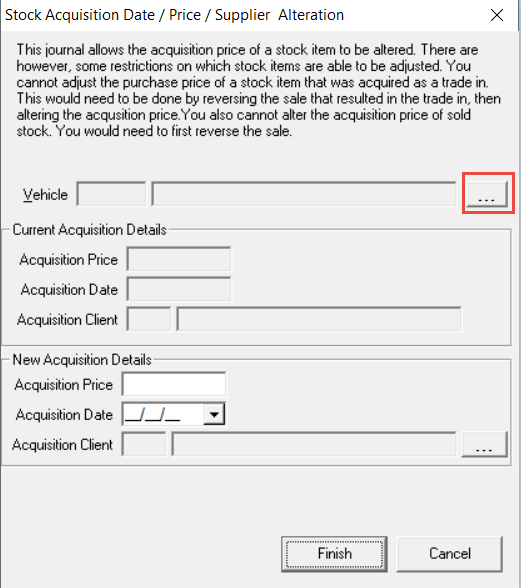
- Click the 3 dots to open the stock list, and select the Stock Unit.
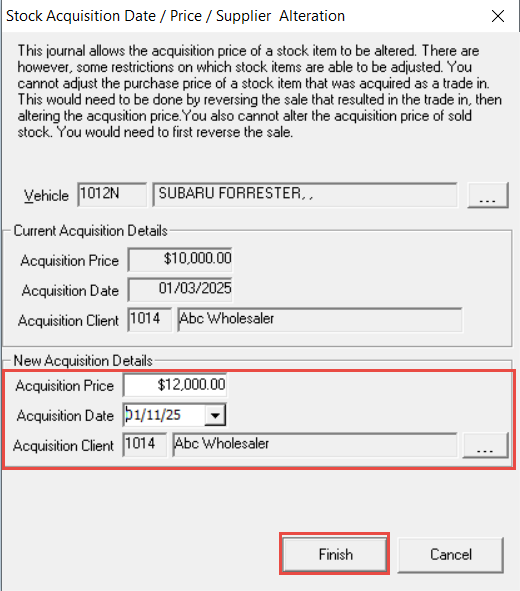
- Update the Purchase Price or the Purchased from Client, then change the Invoice Date to be in the current accounting period.
- Click Finish.
Was this article helpful?
That’s Great!
Thank you for your feedback
Sorry! We couldn't be helpful
Thank you for your feedback
Feedback sent
We appreciate your effort and will try to fix the article