In the Aura program there are 2 ways you can pay your creditors, either from the Creditors Invoices screen, or from the Creditors Control Centre.
Creditors Invoices Screen
- From the Dashboard, hover over the Accounts Payable icon.
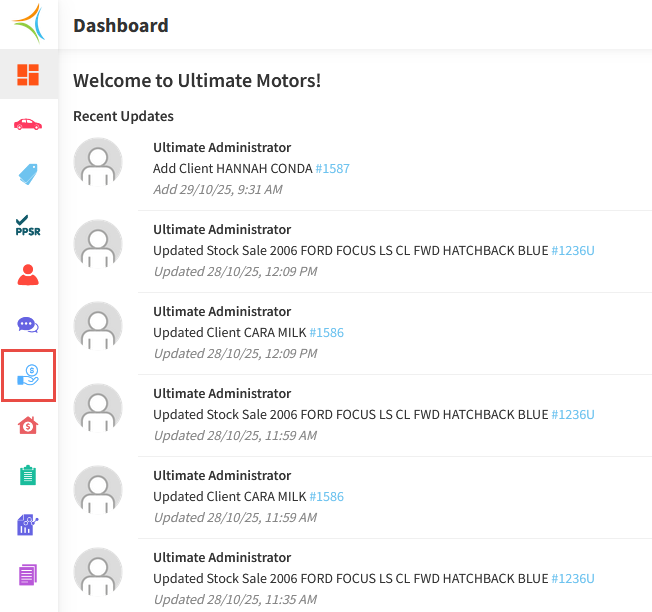
- Click Creditor Invoices.
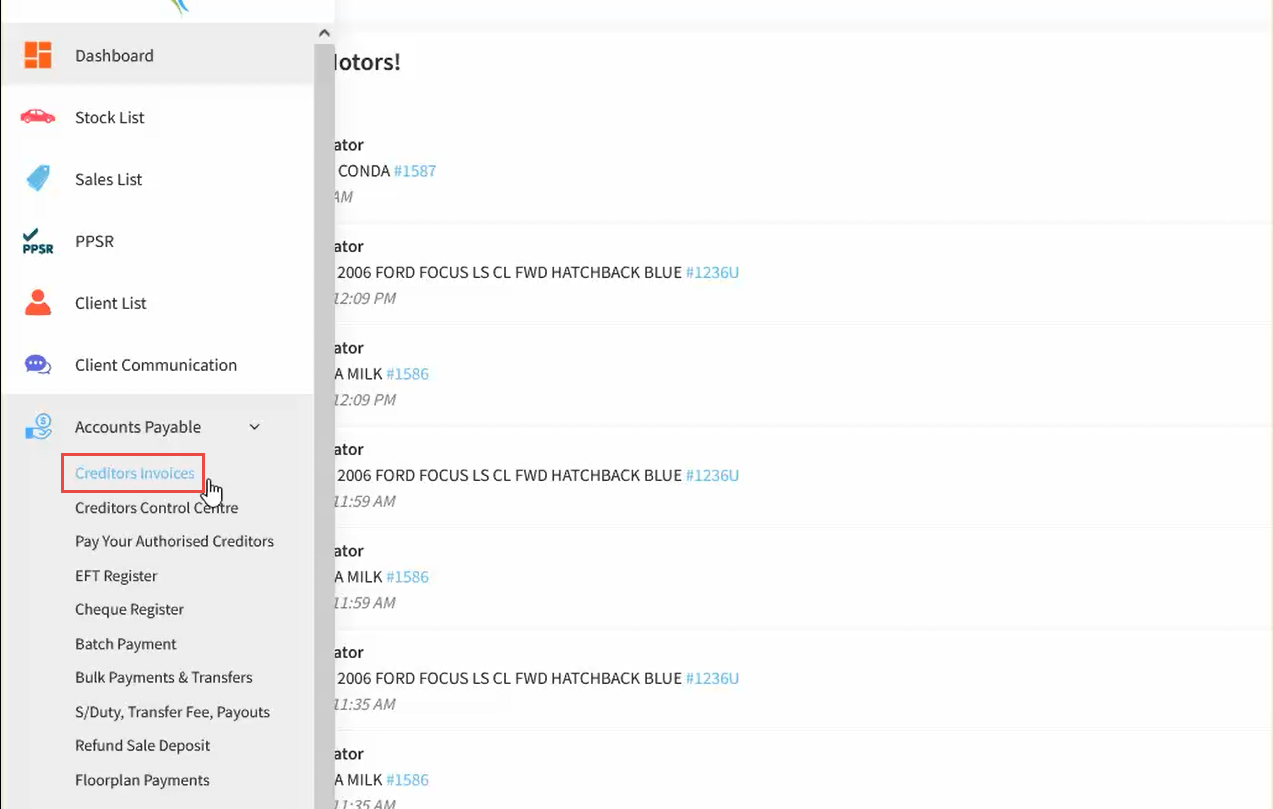
- Select the Creditor, then click the Pay Now icon against an invoice.
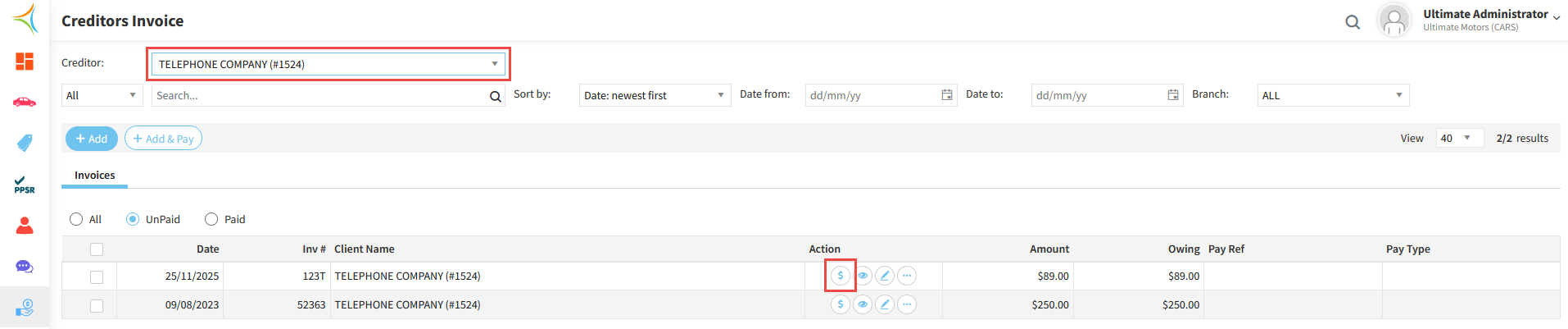
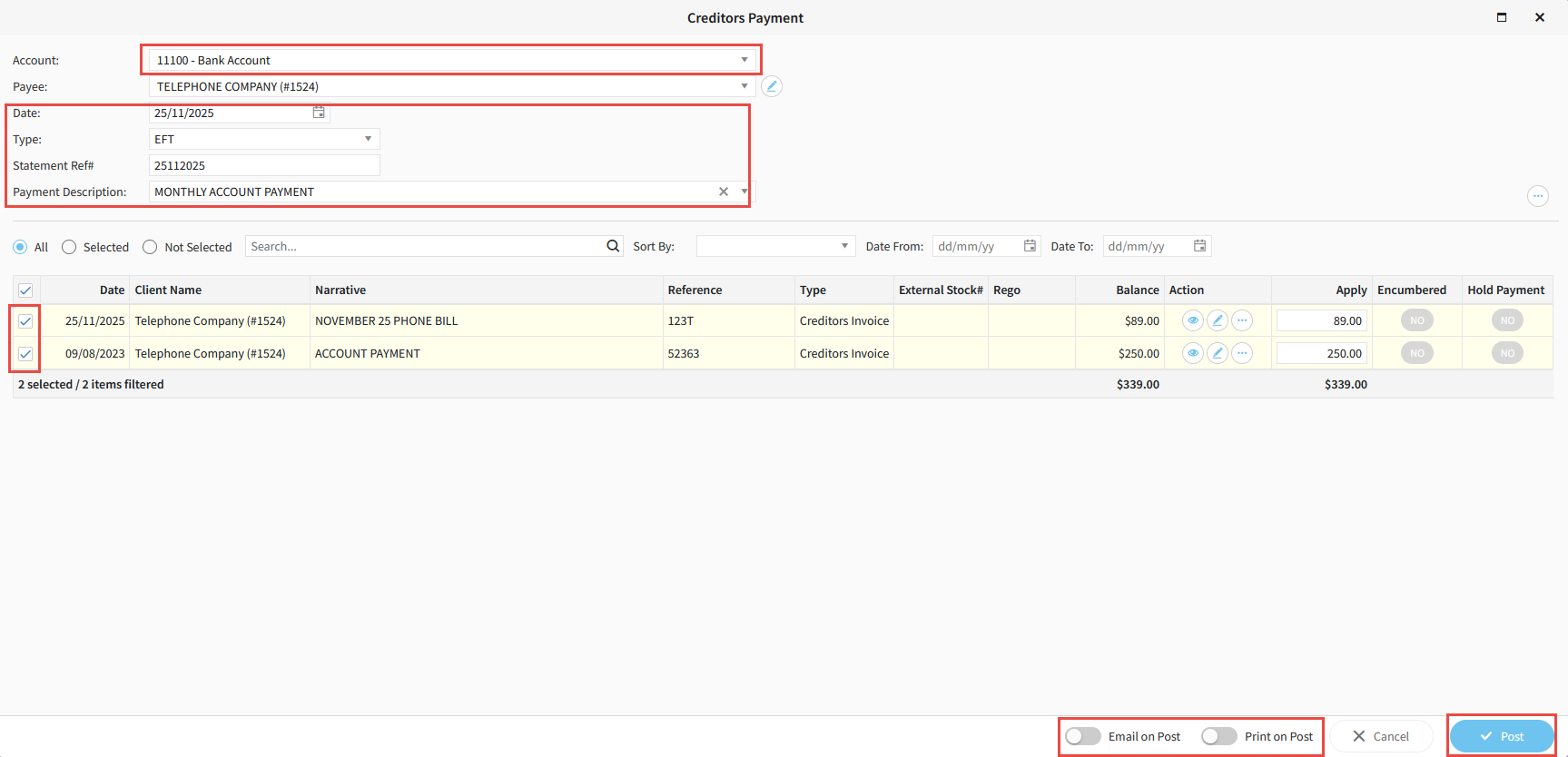
- Select the Bank Account you wish to pay out of.
- If the Date of payment is different to today, ensure you change it to the correct date.
- Select the Type of payment (EFT for regular EFT payments, EFT Batch if using ABA files, Cheque if paying by cheque).
- Enter a Statement Reference Number and a Payment Description.
- Select all Invoices to be paid.
- If you would like a remittance to be emailed or printed upon posting payments, toggle the appropriate options.
- Click Post.
Creditors Control Centre
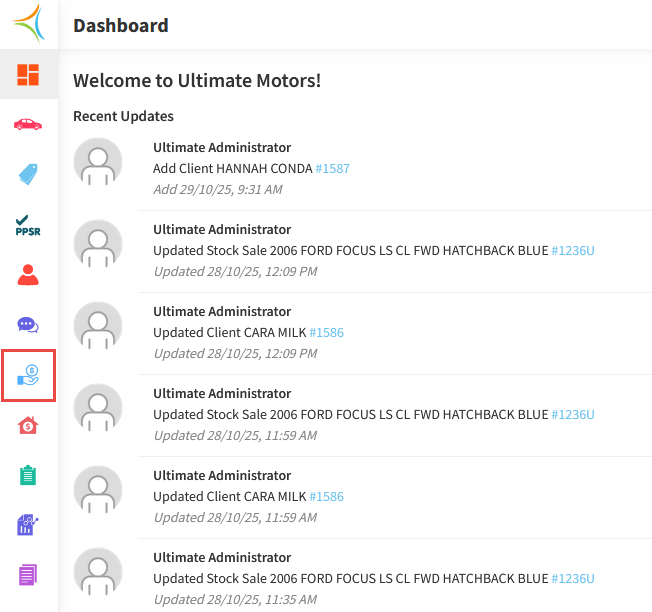
- From the Dashboard, hover over the Accounts Payable icon.
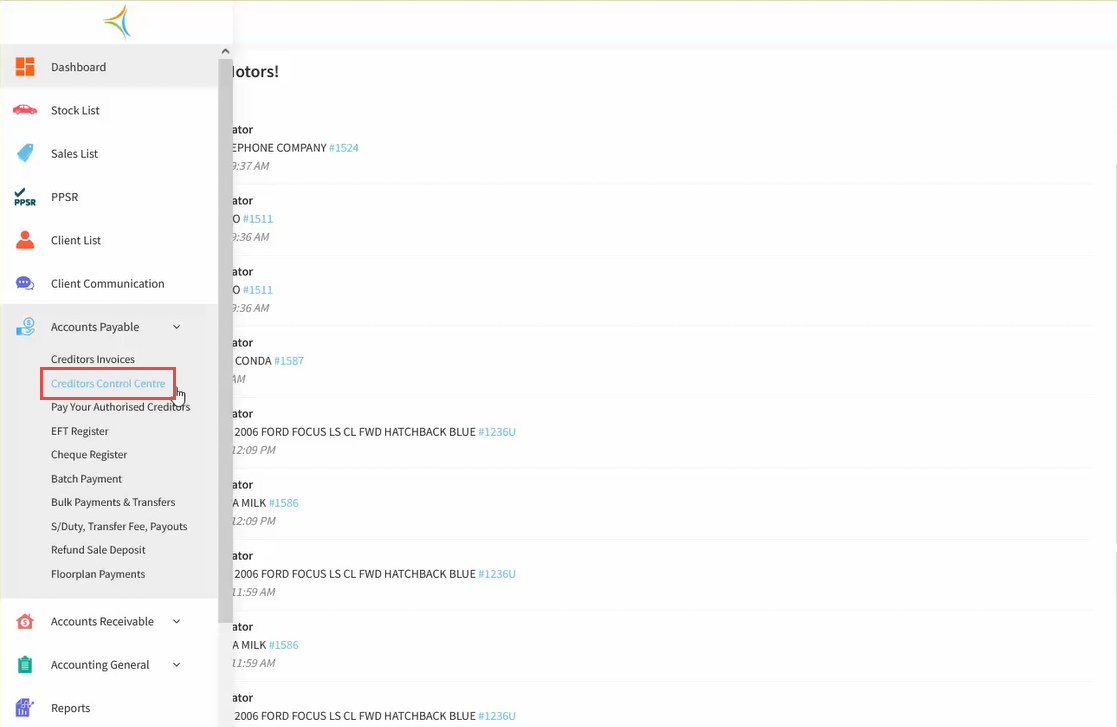
- Click Creditors Control Centre.
- Search for the Creditor, then click the Payment icon.

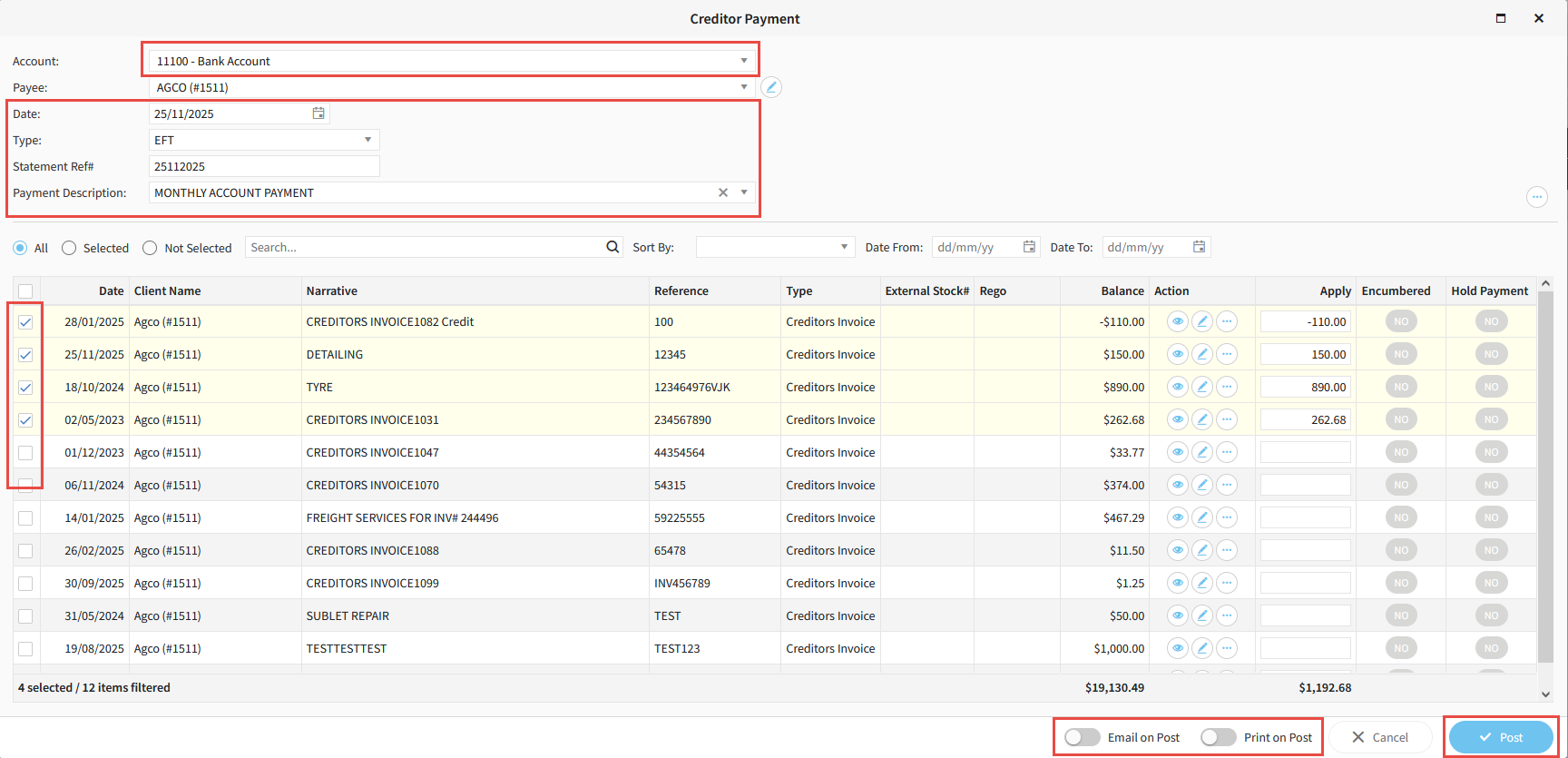
- Select the Bank Account you wish to pay out of.
- If the Date of payment is different to today, ensure you change it to the correct date.
- Select the Type of payment (EFT for regular EFT payments, EFT Batch if using ABA files, Cheque if paying by cheque).
- Enter a Statement Reference Number and a Payment Description.
- Select all Invoices to be paid.
- If you would like a remittance to be emailed or printed upon posting payments, toggle the appropriate options.
- Click Post.
Related Articles
How to create a creditors invoice in Aura
Was this article helpful?
That’s Great!
Thank you for your feedback
Sorry! We couldn't be helpful
Thank you for your feedback
Feedback sent
We appreciate your effort and will try to fix the article