A debtors invoice needs to be added into Eclipse so that you can bank money received against it. You should NOT add a debtors invoice for vehicle sales, as the system will do this for you when a vehicle sale is created.
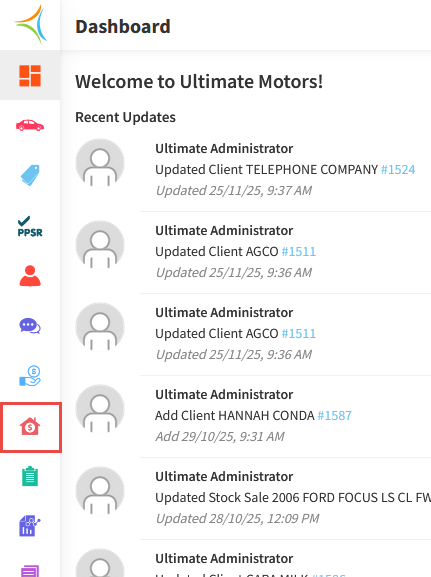
- From the Dashboard, hover over the Accounts Receivable icon.
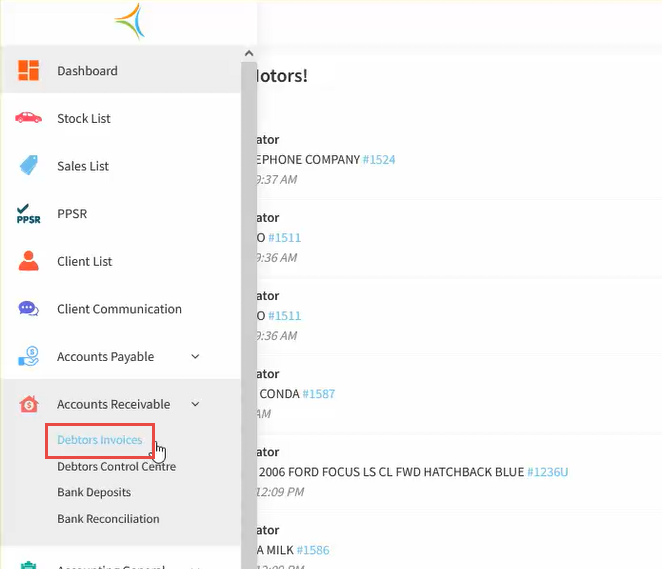
- Click Debtor Invoices.
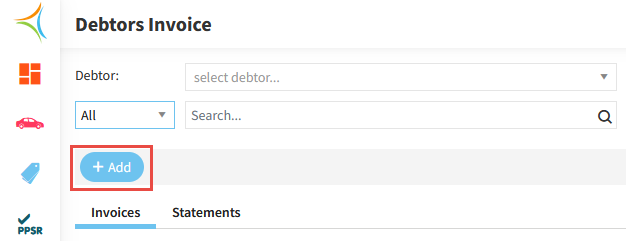
- Click Add.
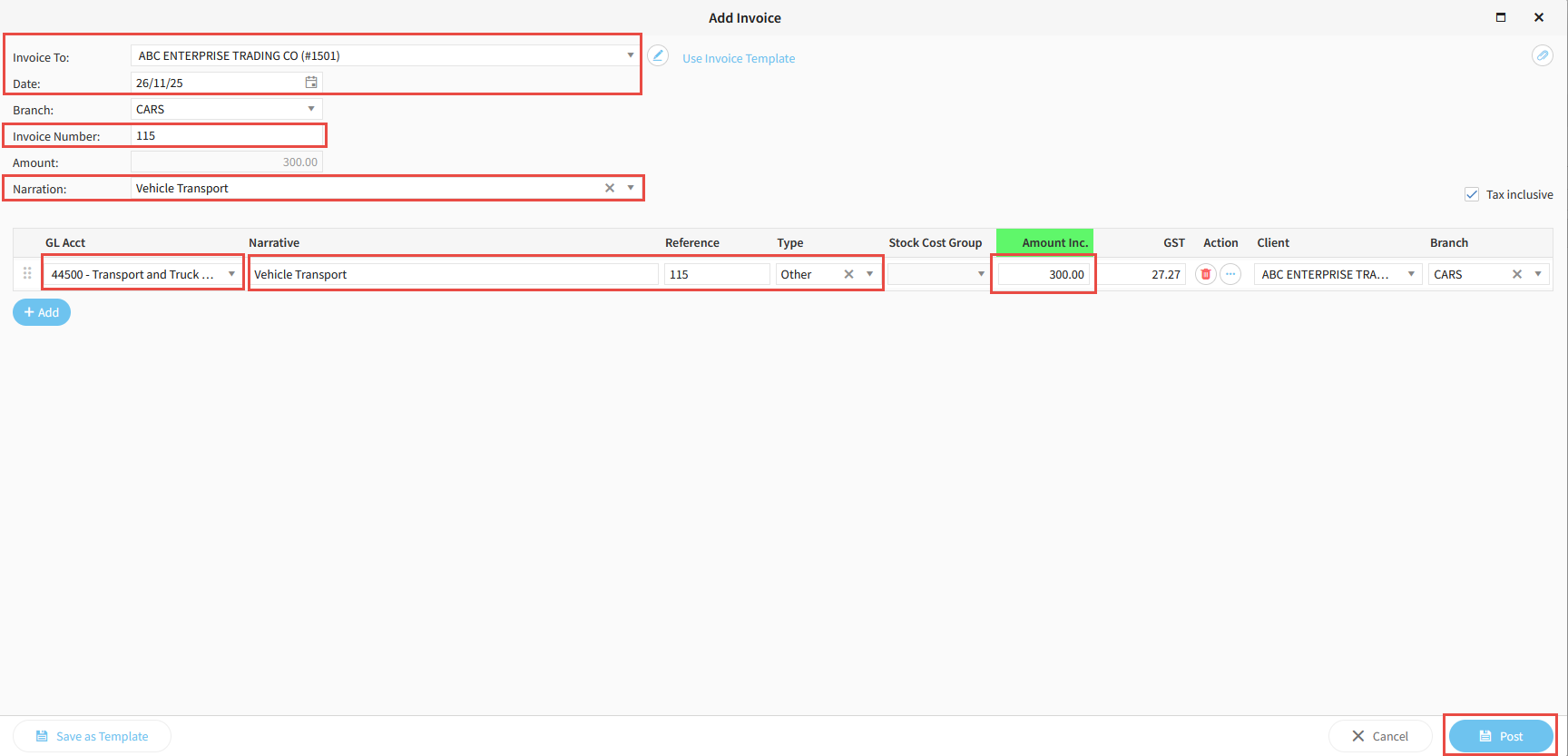
- Select the Customer Name in the Invoice To field.
- Enter the Date for the invoice.
- Enter an Invoice Number and a Narration.
- Select the appropriate GL Account.
- Enter a Narrative, Reference, and Reference Type.
- Enter the Invoice Amount.
- Click Post.
Related Articles
How to bank EFTPOS receipts in Aura
How to bank undeposited cash in Aura
How to receipt money deposited into your bank account in Aura
Was this article helpful?
That’s Great!
Thank you for your feedback
Sorry! We couldn't be helpful
Thank you for your feedback
Feedback sent
We appreciate your effort and will try to fix the article